




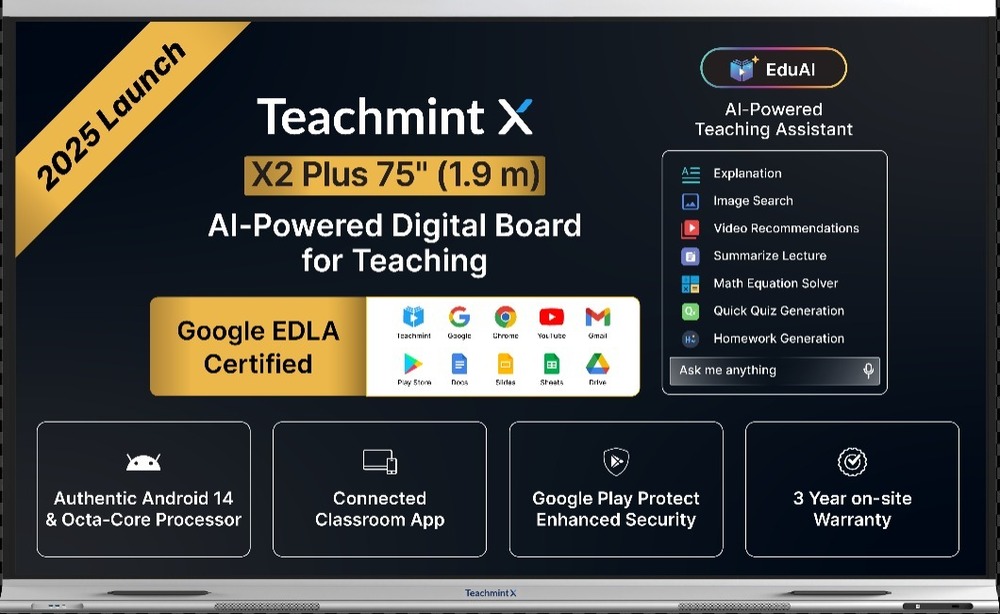
Teachmint X 75 Plus Interactive Board
1500000 INR/Unit
Product Details:
- Model No X 75 Plus
- Assembly Wall Mount or Floor Stand
- Power Type AC Powered
- Use Teaching, Training, Classroom Presentation
- Surface Finish Matte Anti-Glare
- Style Interactive Touch Panel
- Weight Approx. 45 kg
- Click to View more
X
Teachmint X 75 Plus Interactive Board Price And Quantity
- 1500000 INR/Unit
- 1 Unit
Teachmint X 75 Plus Interactive Board Product Specifications
- Approx. 45 kg
- 1683 mm x 1005 mm x 95 mm
- Interactive Touch Panel
- Rectangular
- All Age Groups
- Interactive Writing, Presentations, Screen Sharing
- Ultra HD Display, Multi-Touch, Annotation Support
- 75 Inch
- 4K Ultra HD, 20-Point Touch, Wireless Connectivity, Android + Windows Dual OS
- Interactive Board
- Wall Mount or Floor Stand
- Toughened Glass, Metal Frame
- X 75 Plus
- Black
- Matte Anti-Glare
- Teaching, Training, Classroom Presentation
- AC Powered
- 4 GB (Android)
- HDMI, USB, VGA, Audio Out, LAN, Wi-Fi, Bluetooth
- Quad-core A55 Android Processor
- 32 GB (Android)
- Yes (External, USB)
- 3840 x 2160 pixels (4K UHD)
- 20 Touch Points Simultaneous
- 110-240V, 50/60Hz
- 60 Hz
- 2 x 15W
- 6 ms
- Included - Dual Pen Support
- Android 11.0 & Windows Compatible
- Remote, Wall Mounting Kit, User Manual, 2 x Stylus Pens
Teachmint X 75 Plus Interactive Board Trade Information
- Cash in Advance (CID), Letter of Credit (L/C)
- Asia, Middle East, Africa
- All India
Product Description
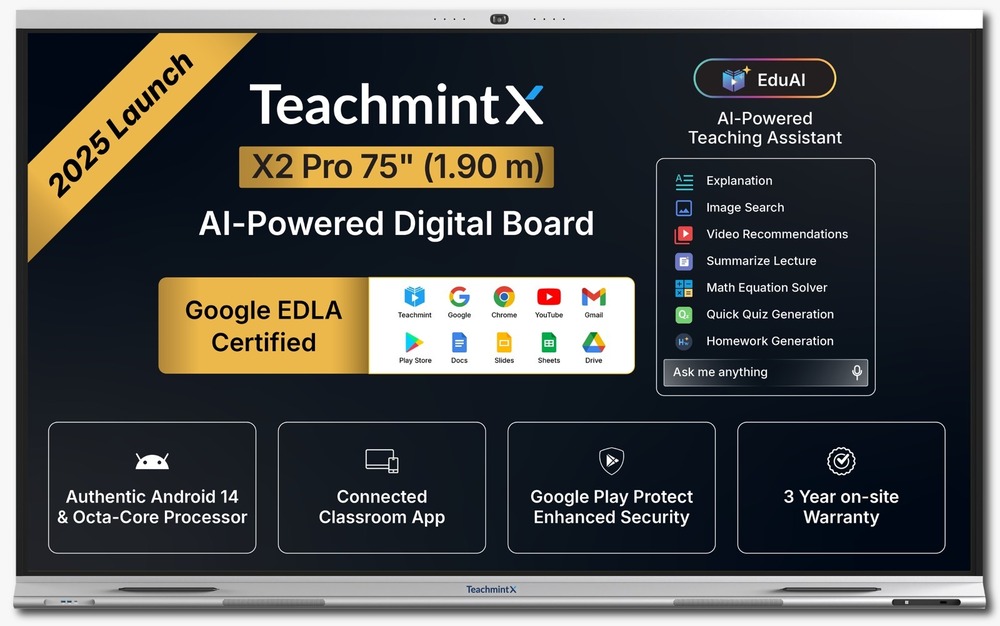
Teachmint X revolutionizes classroom engagement with its cutting-edge interactive flat panels, designed for seamless teaching and immersive learning. Engineered with precision and powered by EduAI, it transforms traditional setups into dynamic smart classrooms.
Exceptional Visual Experience
The X 75 Plus Interactive Board features a stunning 4K UHD display, ensuring crystal-clear image quality even in large rooms. The matte anti-glare surface minimizes reflections, delivering an optimal viewing and writing experience for every classroom or meeting.
Seamless Multi-User Collaboration
With support for 20 simultaneous touch points and dual pen capabilities, the Teachmint X 75 Plus enables dynamic, collaborative learning or presentations. Multiple users can interact on the board at once, enhancing engagement and real-time teamwork.
Dual Operating System Convenience
Enjoy the flexibility of both Android 11.0 and Windows compatibility. This dual OS approach caters to varied software needs, from interactive Android apps to traditional Windows classroom or office programs, all on one device.
FAQ's of Teachmint X 75 Plus Interactive Board:
Q: How do I set up the Teachmint X 75 Plus Interactive Board?
A: To set up the X 75 Plus, mount the board using the included wall kit or a floor stand, connect it to an AC power source (110-240V), and attach any desired input devices through HDMI, USB, or VGA. Follow the quick start guide in the user manual for step-by-step instructions.Q: What devices and operating systems are compatible with the board?
A: The board runs on Android 11.0 out of the box and also supports Windows operating systems, allowing seamless integration with a wide range of devices via HDMI, USB, VGA, Wi-Fi, or Bluetooth.Q: When should I use the multi-touch and dual pen features?
A: Leverage the 20-point multi-touch and dual pen support during collaborative sessions like teaching, brainstorming, or group projects-enabling multiple users to write, draw, or interact with content simultaneously.Q: Where can I use the Teachmint X 75 Plus Interactive Board?
A: This board is ideal for classrooms, training rooms, conference halls, and lecture theatres. Its robust build and versatile mounting options allow installation in educational institutions or corporate settings across India.Q: What is the process for annotation and interactive writing?
A: Use the included stylus pens or touch to write, draw, and annotate directly on the ultra-HD screen. The board's intuitive software supports easy on-screen annotations, saving notes, and screen sharing in real time.Q: How does the X 75 Plus benefit educators and trainers?
A: Educators and trainers benefit from engaging teaching tools, ultra-high resolution clarity, real-time collaboration via multi-touch, and the ability to present, annotate, and share screen content effortlessly. This fosters interactive learning for all age groups.Q: Is the board suitable for remote and in-person presentations?
A: Yes, the Teachmint X 75 Plus supports external USB cameras for video conferencing and screen sharing, making it perfect for both remote and face-to-face presentations.Tell us about your requirement

Price:
Quantity
Select Unit
- 50
- 100
- 200
- 250
- 500
- 1000+
Additional detail
Mobile number
Email

Other Products in 'Interactive Flat Panel ' category

GST : 29AAHCT9142J1ZS
5th Floor, North Wing, SJR The Hub, S.No. 8, 2 & 9, Bengaluru - 560103, Karnataka, India
Phone :08045813663
 Send Inquiry





 |
TEACHMINT TECHNOLOGIES PRIVATE LIMITED
All Rights Reserved.(Terms of Use) Developed and Managed by Infocom Network Private Limited. |
